Your shopping cart is empty!
-250x250.jpg)


-250x250.jpg)




-55x55.jpg)


Alfa:
15/10/2020, 11:39:09 AM, ekkenoseis-alpha.gr
ReplyAre you thinking of a better home service for your home? We will give you the best service in this regard.

Your shopping cart is empty!

When Android is cmbined with the ability to receive terrestrial and satellite channels, an excellent mixed is created, like the TS UP 4K of TELE System. Right below, our impressions after the test!
The TS UP 4K model of TELE System, although it has a small size but inversely proportional yield,, κas well as an Android box, is a Combo receiver with 4Κ resolution and powerful features, such as DVB-T2/S2 channel reception, Android 7.1.2, Apps installation, Mirroring, Wi-Fi, Streaming and PVR.
The TS UP 4K is based on Android 7.1.2 with AMLOGIC S905D QUAD-CORE 64-BIT CORTEX-A53 processor at 2.0GHz – 18K DMIPS, 10-bit HEVC terrestrial and satellite tuner DVB-T2 / S2, but also Mirroring function in order to watch your smartphone screen on the TV. The receiver comes with a remote control with mouse function for easier navigation, while you can clearly install many apps from play store, to Aptoide TV and more, depending on your needs.
Please add that the receiver carries GPU PENTA-CORE MALI450, RAM 1GB DDR3, ROM 8GB EMMC FLASH, while it has built-in WiFi 802.11 b/g/n 2.4 GHz and Bluetooth 4.0. Through the 3 USB ports, the TS UP 4K can work as PVR for recording, as well as media player for playback files such as avi / mkv / 4k / avc/h.264, hevc/h.265 / aac / he-aac / mp3 / jpg.
In terms of connections,, it has LNB input, antenna input, Ethernet 10/100, HDMI 2.0 (HDCP 2.2), digital S/PDIF audio output, while in the side we find 3 USB 2.0 ports, AV mini jack output, MicroSD port (up to 64 GB) ald slot for the supplied power supply.
 |  |  | |
 |  |  |
Firstly, please note that the TS UP 4K is upgraded online with official software, so you do not have to search in unknown sources. After the last upgrade – among other things – Launcher also changed, which was improved significantly.
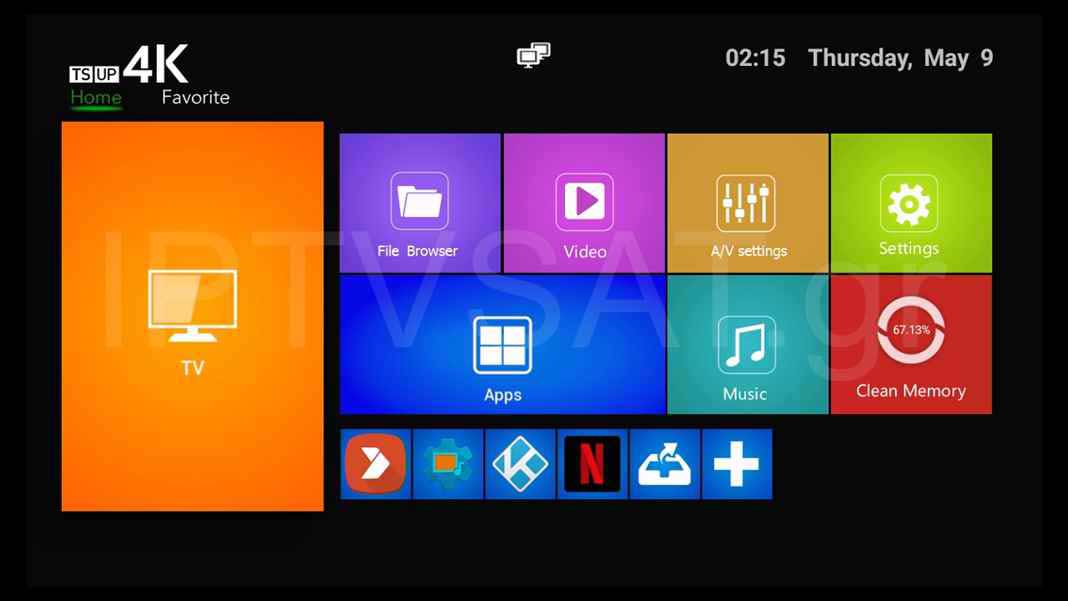
In the home screen menu, we can see the TV, File Browser, Video, A/V settings, Settings, Apps, Music, Clean Memory menus, while at the bottom we can add apps that we use often, such as in the Favorite menu on the top at the left. The Home menu is used for to reset in the home screen.
The TV option refers in total to the part of the receiver for terrestrial reception and satellite digital channels and we are going to describe it below, while with the Clean Memory option, we can free memory RAM for optimal operation.
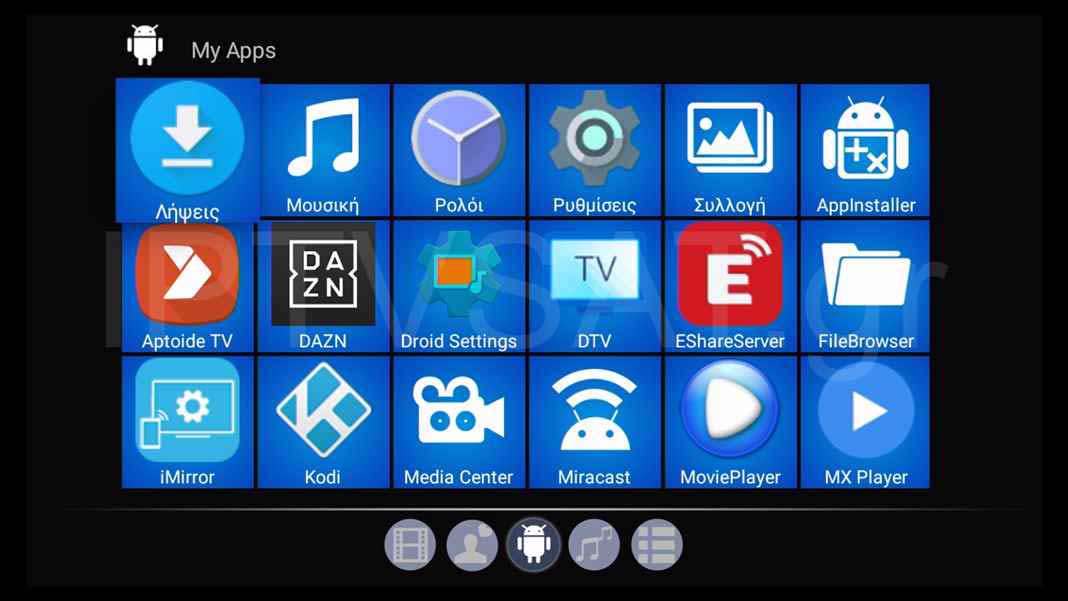
In the Apps menu all installed applications are displayed, while as factory we found the below: Downloads, Music, Clock, Settings, Collection, AppInstaller, Aptoide TV, DAZN, Droid Settings, DTV, EShareServer, File Browser, iMirror, Media Center, Miracast, Movie Player, Netflix, Play Store, PPoE, Prime Video, RaiPlay, Read Logs, Spotify, UPDATE&BACUP, WebView and YouTube.
With the Aptoide TV, you can install new applications, to uninstall, but also to upgrade the existing apps, easy and fast, while Google Play is clearly available. With the EShareServer, you can play video, audio and photo direct on your sreen of your mobile or your tablet, as long as you download the app on your mobile device, through the QRCode that appears on the screen. The iMirror appears the screen of your mobile device on your TV and is intended for mobile devices iOS, while for Android there is Miracast.
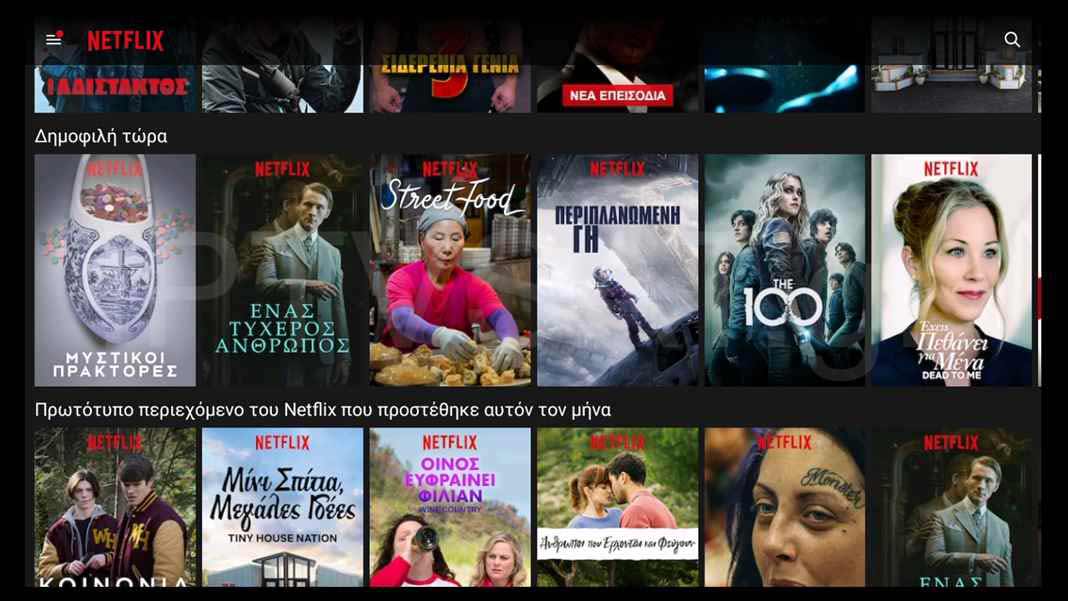
Netflix normally worked in TS UP 4K and it is clearly required to activate the mouse with the corresponding button on the remote control for optimal use, while we installed Kodi's latest version 18.2 (Leia) without any problems.
DAZN is not availiable for Greece, while Prime Video – as known – is subscription. In addition, the RaiPlay will appear a message in Italian, that the contest of the 14 Italian channels that supplies, is not avaiiable outside Italy.
Please note that the above limitations are not a problem as you can install numerous additional applications with visible content in Greece.
Regarding the palyback of files the Android always work perfectly, especially with Kodi, no one needs something elseto play video of numerous codecs including HEVC with external Greek subtitles, ac3 sound, music files, photos, while it is unnecessary to mention Kodi's skills in online viewing!
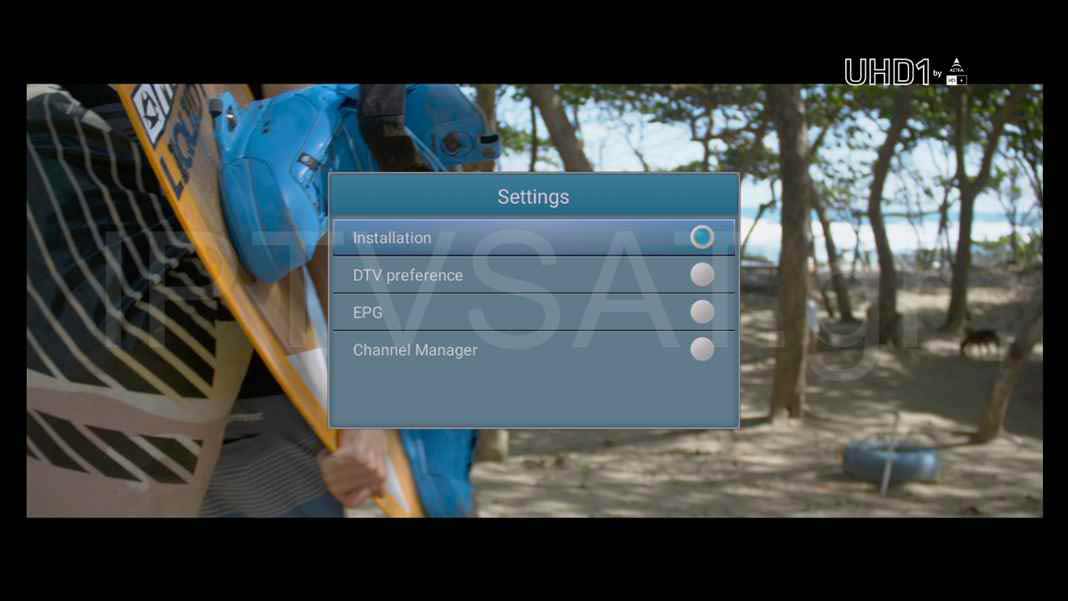
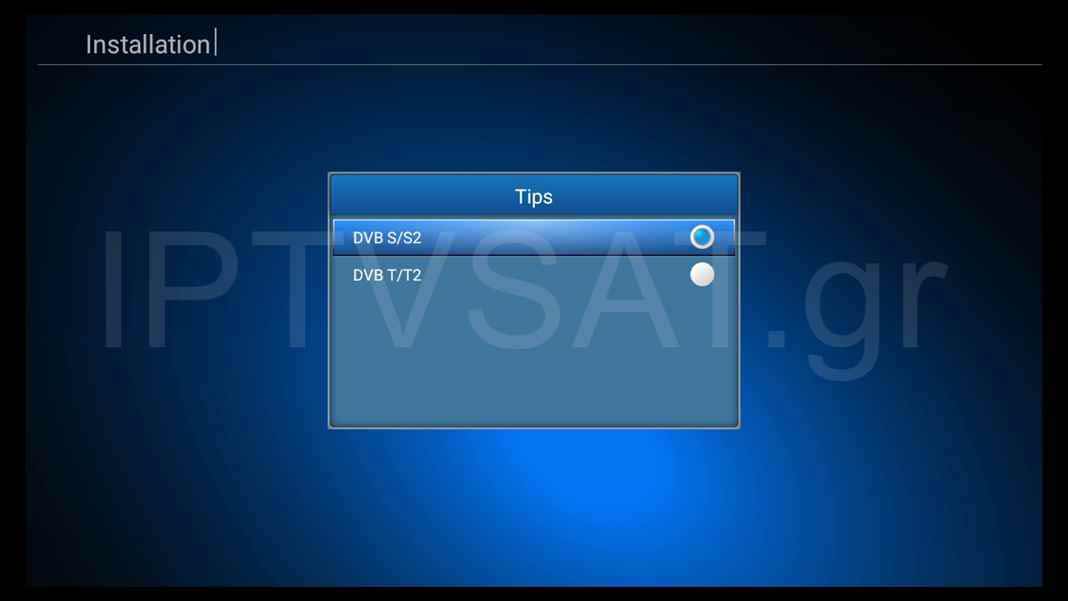
In the TV menu, we get access to the receiver section, while with the MENU key on the remote control, Settings card appears with Installation options, DTV preference, EPG and Channel Manager. in the Installation option, we have the ability to easily install terrestrial digital chanells (DVB T/T2) and satellite (DVB S/S2).
Terrestrial channels: For terrestrial, an automatic scan is sufficient and soon you will download all the availiable channels in your area, while you have the ability to scan individual transporders with and even with level bars and signal quality. In addition, you will find Restore User Data, Backup User Data and DTV Data reset options for backup and recovery of settings, as well as for complete reset of the receiver section.
Satellite channels: By selecting DVB S/S2 in the Installation menu, we can set the satellite reception, depending on our satellite dish installation. On the corresponding card, we can find Satellite List, Antenna Setup, Multi Scan, Transponder List, Motor Setting options, as well as the Restore User Data, Backup User Data and DTV Data reset settings that are alos in the Terrrestrial.
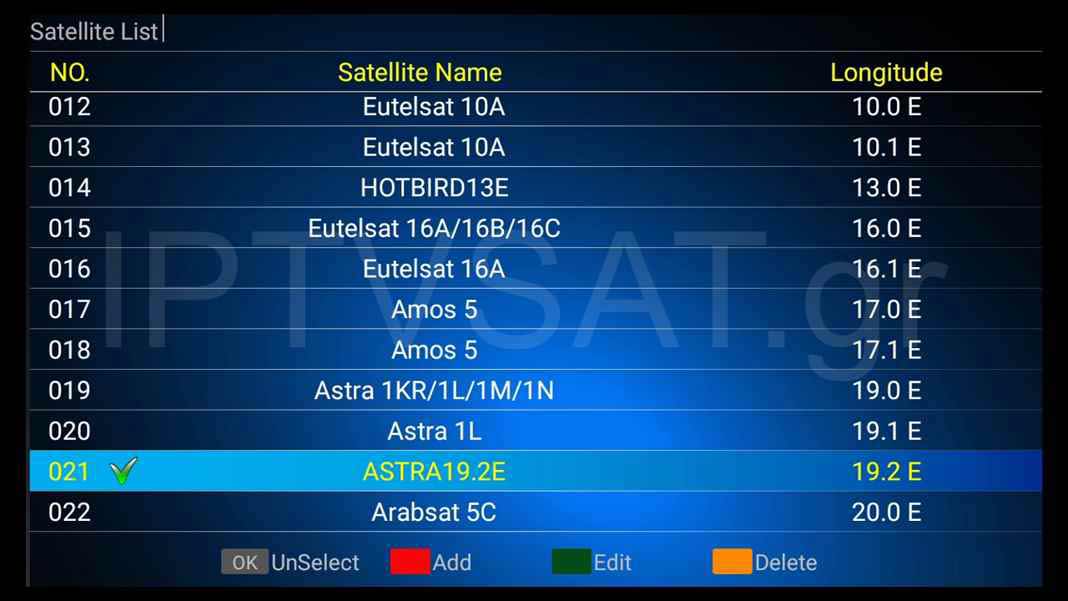
In the Satellite List you will find 71 satellites with the possibility of adding, modification and deletion. We choose satellite and then we go to Antenna Setup to set the parameters LNB, 22 KHz, DiSEqC 1.0/1.1, with bar level and signal quality at the same time. In case we choose more than one satellites with DiSEqC use, we can perform a total scan with the selection Multi Scan, while we also have Motor Setting option for motor setting DiSEqC 1.2/USALS.
With Transponder List option, we can add, modify or delete transponders, always with the signal bars on the screen.
We have to mention that in all satellite menus, at the bottom there are the options of the other memus with color keys, so for example we always have in our disposal the Scan functio (blue key), for scanning in 3 ways and more specific auto, manual and blind scan, i.e. blind scan, which is fast without additional options.
Regarding the navigation of the channels, we have SD, HD, 4Κ, $ and ΤΧΤ indications for each channel with elegant icons, so we can select channels easily and quickly, without extra unneccary moves, as we know in advance whether the channel is encoded or not.
The menu language in the receiver section, as well as on EPG of the terrestrial channels except ERT, currently does not include Greek, but this can change with some future upgrading.
With ΟΚ channel list is displayed directly, while with right-left we select an index of the total list, per satellite or only terrestrial. In addition, we have 10 favorite lists, which we create extremely easily, by selecting channels with ΟΚ and then setting the favorite list which we prefer with the red key.
Also, in Channel Manager -> Channel List Edit -> blue key, we can rename, move, delete, set PIDs and sort channels.
The TS UP 4K accepts an external hard drive in FAT32 or NTFS, for both recording and playback, so we can easily record our favorite channels, either directly or through EPG programming. In the route DTV preference -> Record List, we get access in the recording list to optional playback.
The TELE System TS UP 4K, is an excellent Android TV box, with whice you have at the same time a state-of-the-art terrestrial receiver DVB-T/T2, as well as the ability to receive satellite channels and even 4K, while a powerful advantage is also the online upgrade!
Source: IPTVSAT.gr
Author: Periklis Pantoleon

Are you thinking of a better home service for your home? We will give you the best service in this regard.