Your shopping cart is empty!

MENU
Your shopping cart is empty!
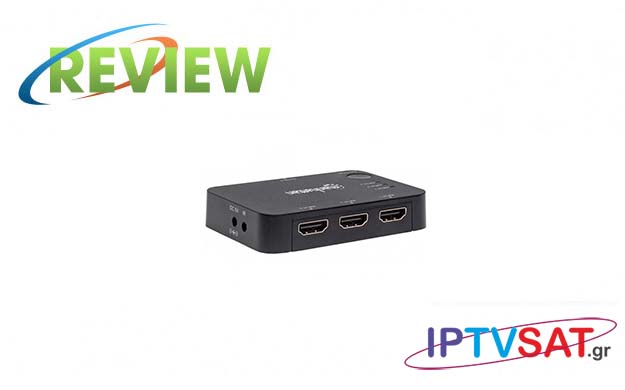
The HDMI switch from Manhattan that we present, is an excellent solution for immediate selection of up to 3 HDMI signal sources on one screen and even with a remote control!
With the increasing number of HD & UHD multimedia devices, it is very likely that we will run out of HDMI free slots on our TV. Manhattan's 4K HDMI 3K Port extends connectivity options to a 4K HDTV display, while automatically detecting and selecting the active HDMI source by launching the signal on your screen. When more than one UHD video source is activated at the same time, the built-in IR controller allows you to select a source from a remote control manually or manually with the built-in button.
Manhattan's 4K HDMI Switch 3-Port allows you to connect three HDMI Ultra-High Definition (UHD) sources - such as game consoles, Blu-ray players, satellite receivers, digital recorders, decoders and more - to a 4HD UHD display.
This particular HDMI switch provides 4K resolution images and supports 3D video, Deep Color as well as LPCM sound, DTS Dolby TrueHD.
Note that this is the model with code 207522 in which we have the ability to analyze up to 4K @ 30Hz, full 3D video and Deep Color, total data rate up to 10.2 Gbps (3.4 Gbps per channel) for 4Kx2K screen and amplifier range video up to 340 MHz.
In terms of color capabilities, we have Deep Color 48 bit (12 bits per channel) and xvYCC (x.vColor), while for sound we have support for compressed DTS-HD Master Audio and surround sound 7.1, Dolby TrueHD, as well as uncompressed LPCM 8 channels.
Note that the switch has gold-plated contacts for corrosion-free connections.
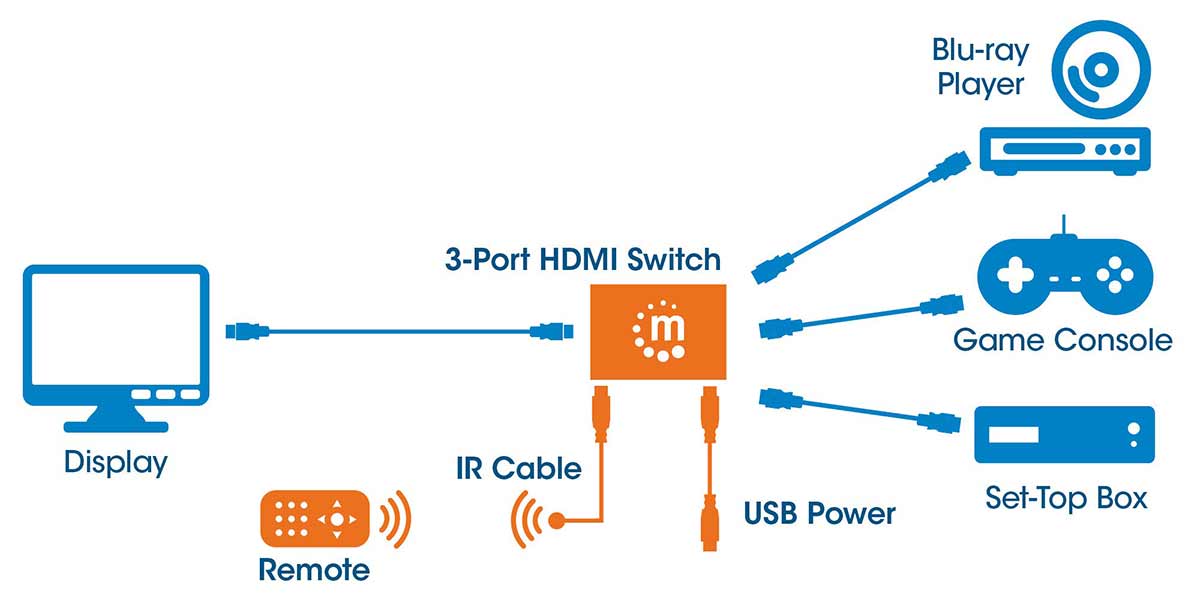
Connect HDMI cables from signal sources to HDMI INPUT1, INPUT2, INPUT input sockets.
Connect the HDMI cable from your screen to the HDMI “OUTPUT” socket.
Insert the 3.5mm plug of the infrared cable into the "IR" port and place the signal sensor in direct visual contact with the remote control. Secure the sensor with the double-sided adhesive tape.
Connect the supplied power cord to the DC socket and then connect it to a free USB port.
Select a signal source directly by pressing the IN1, IN2 or IN3 keys on the remote control. Navigate to the sources by pressing the "SWITCH" key on the switch itself or using the round arrow key on the remote control.
Manhattan's HDMI switch provides LED display for each active HDMI input.
In testing three different HDMI sources, we found that the choice between inputs is easy and reliable, either with the remote control or with the switch button, while the provided IR sensor allows us to "hide" the switch, for example in a piece of furniture. , while maintaining a more general order in HDMI cables.
When a device starts, then it is "perceived" by the HDMI switch and becomes a priority on our screen, however the full automation depends on the device and how it handles the HDMI output. For example, when we activate a device from Stand by, it is possible that it will not be automatically detected by the switch, so in this case we use the remote control.
Excellent reliability in HDMI input selection, HD / UHD image and sound quality, remote control for maximum functionality and IR sensor for complete concealment of HDMI switch. A remarkable Manhattan product!
Source: IPTVSAT.gr
Author: Periklis Pantoleon
-250x250.jpg)


-250x250.jpg)






-55x55.jpg)