Your shopping cart is empty!

MENU
Your shopping cart is empty!
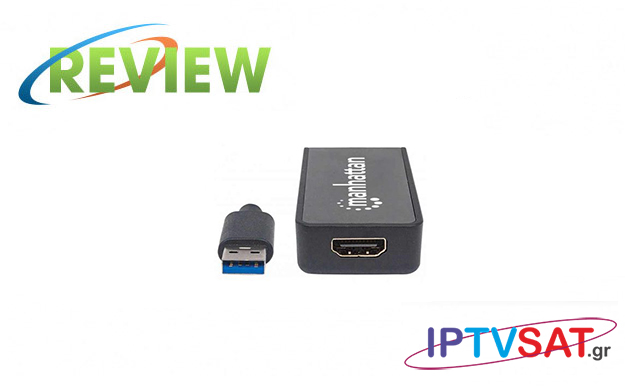
We tested Manhattan's extremely interesting IDATA USB 3-HDMIM adapter which, via DisplayLink technology, it can be connected to a USB 3 port and provides HDMI output in order to connect another screen to our computer.
Before the description of this product, we present some information about DisplayLink technology in order to understand better the function of this adapter.
DisplayLink is a company with a unique graphics transfer technology, that makes the expanding of your desktop easier and more accessible than ever. This technology makes easy the connection of any screen on any computer that supports που υποστηρίζει USB or WiFi, while providing compatibility with any platform. DisplayLink also allows the connection of multiple monitors, audio, Ethernet and other USB devices with computers, Mac and tablet via USB port (including USB-C port) or wireless connection.
Any computer can drive up to 6 monitors by using DisplayLink, although it turns out that only two external monitors create a huge increase in desktop productivity.
The DisplayLink technology is compatible with φορητούς laptops, Macbook, tablet Android and smartphones, in this way the DisplayLink screen adapters can be used for the connection of any device to a TV in home, e.g.χ to view family photos or videos on a large screen and even in high definition. resolutions, superior and FullHD.
With one Manhattan's IDATA USB 3-HDMIM adapter, you can easily connect an extra monitor to your computer. Just plug the HDMI jack of the existing monitor on the adapter and the integrated USB cable into a port on your computer. You will need one adapter for each additional monitor you would like to connect, allowing you to have up to six USB monitors – in addition to any you may already have! You can also convert video and audio 5.1 surround from USB 3.0 (5 Gbps) to HDMI signal for TVs and monitors and even up to 2560×1440 resolution and 32 bit colors, while clearly FullHD Video 1080p in 16:9 is supported.
Also, the Manhattan adapter can operate in 3 ways (primary, extended, mirror), for up to 6 videos (extended mode)..
The device has built-in DRAM for smooth flow into maximum quality, making it suitable for even gaming, while the 60 cm length of cable provides relative comfort in mounting. Please note that no external power is required as USB voltage is used.
 |  |  | |
 |  |  |
The first use of the adapter is extremely easy, as long as you install first the driver from the CD which you will find in the package. In case auto-start doesn't work, you can click on DVD Rom icon of your computer and autorun.exe will run, and the homepage of the CD rom will show up. if you choose Install Driver, you will be able to install the necessary DisplayLink software for the specific adapter of Manhattan. At some point you will be asked to connect the adapter to your computer's USB port in order to complete the installation.
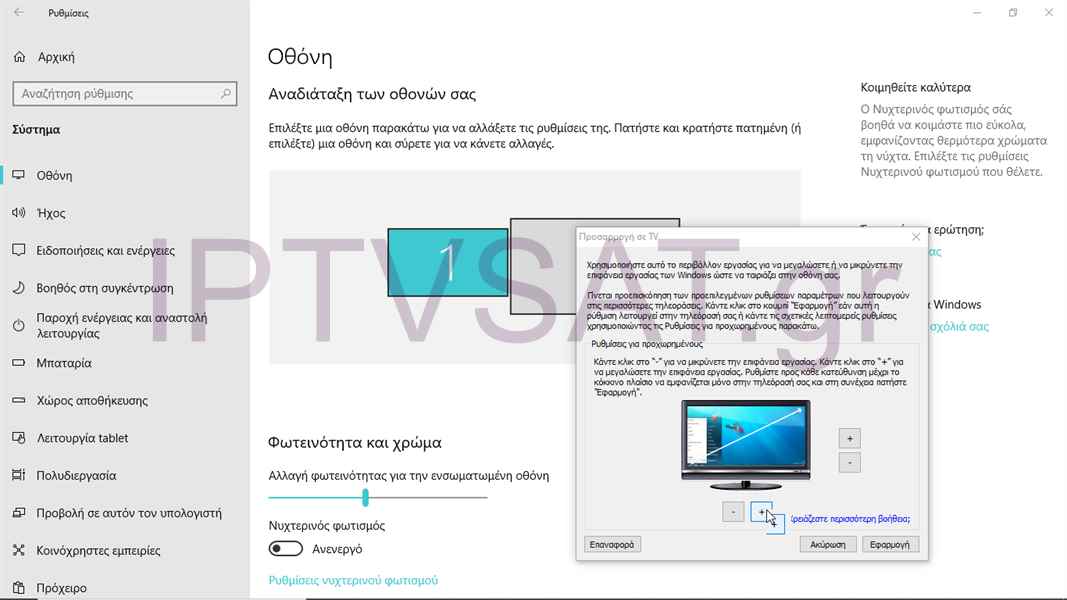
In this point, first connect the monitor on the HDMI plug of Manhattan's adapter and then the built-in USB cable in a USB 3 port of your computer. The monitor will immediately recognize and the and you will be asked to adjust the dimensions for the best visual effect.
After you restart your computer, you are ready to use and configure the functions for your second screen. We tested the process on a Laptop HP i3 with Windows 10 and everything worked smoothly without any problems.
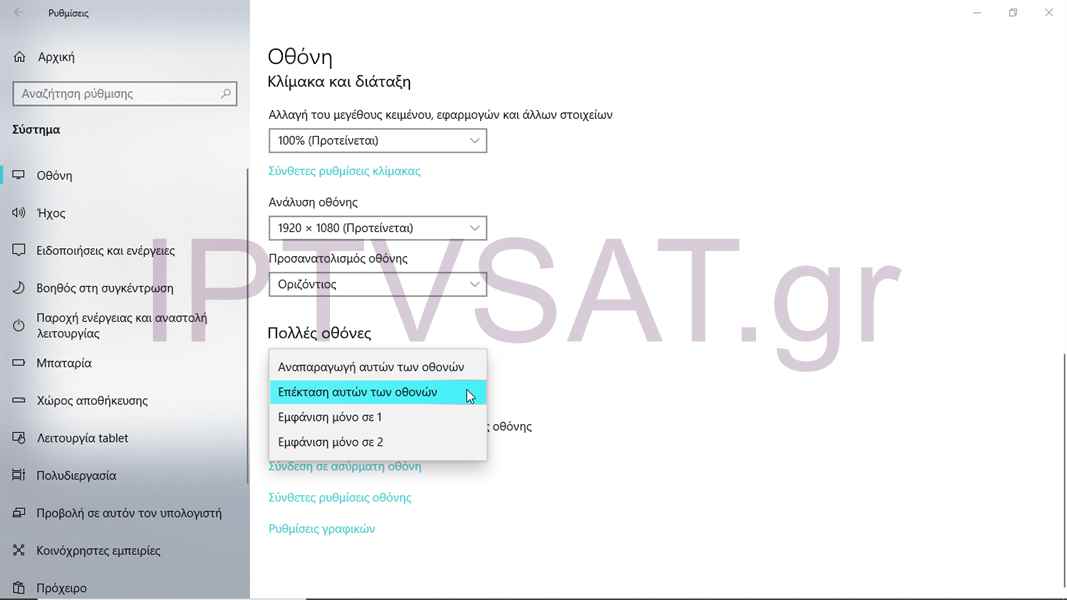
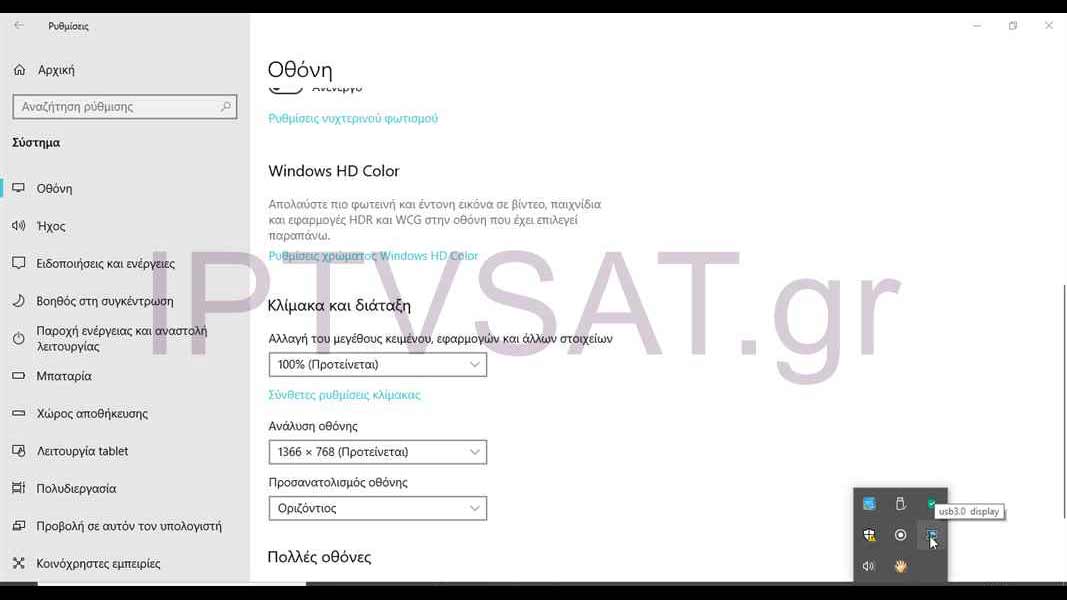
In the icon group right at the bottom of your screen, you will see the adapter settings icon (usb3.0 display). You can choose between the latest "Adjust to TV" setting and the "Multiple screens" option:
a) Play these dispays
b) Extend these displays
c) Only show in 1
d) Only show in 2
With the first «Play these dispays» setting, you choose to see the second screen just like the first one, while in the second "Extend these displays" setting, you can extend the desktop to both screens, a tactic followed by several professionals in various fields, such as image processing, audio, graphics, web sites etc. The last two settings are obvious as restricting the display of content to only one screen.
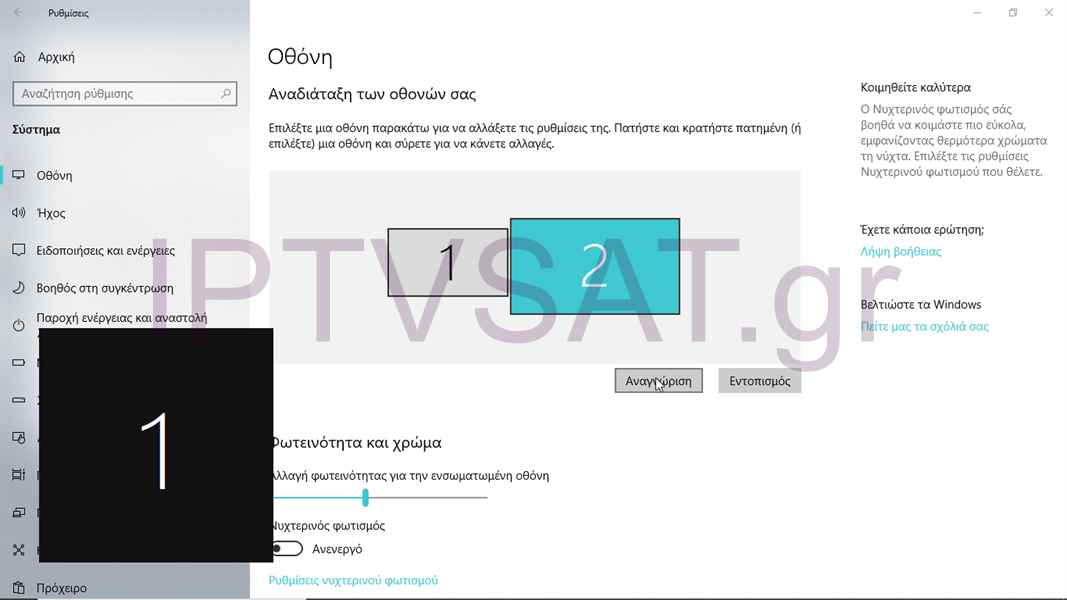
In the Display option andf by clicking on Recognition, the number 1 will appear in the basic display and number 2 in your second display, in order to make sure the screens are matched.
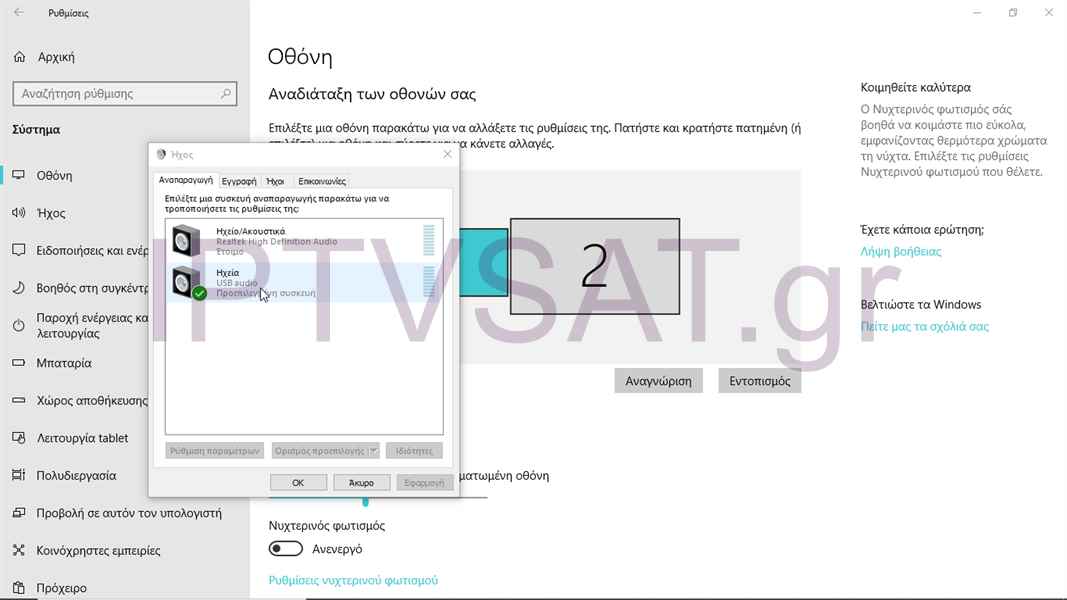
In audio setting, we can choose in which display the audio will be trasfered.
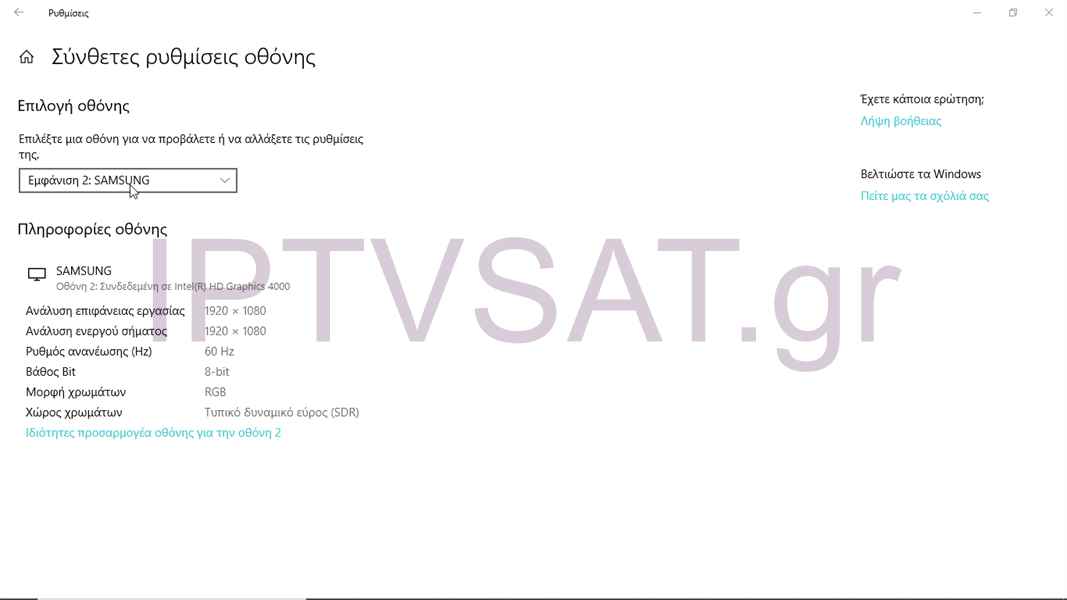
Regarding the resolution – as we mentioned – we can play contest in resolution up to 2560×1440 and 32 bit colors, depending on the screen we use. As a result of the above, we can watch Video in ultra high resolution, as long as your computer can «lift» it from the processor side and generally, play content in a large display easily and above all with the reliability of DisplayLink technology.
The USB graphic adapter MANHATTAN IDATA USB 3-HDMIM, is, in principle, reliable, instantly offers the ability to use a second display with 3 functions (up to 6 displays with 6 adapters in Windows), seamlessly reproduces due to the built-in DRAM for Video buffering, it is compatible with Windows & MAC due to the chip DisplayLink and all these easily and especially economically. Excellent!
Source: IPTVSAT.gr
Author: Περικλής Παντολέων
-250x250.jpg)


-250x250.jpg)




-55x55.jpg)


